Project 04
TypeScript
Live demo
DocEditorPlayground
§ 01
In the browser
What it looks like
§ 02
Why
The problem it solves
Choosing a rich-text editor for an authoring product is a high-cost, hard-to-reverse decision, and every candidate ships its own demo with its own chrome. That makes differences almost impossible to attribute: is the paste behavior better, or is the demo just configured differently?
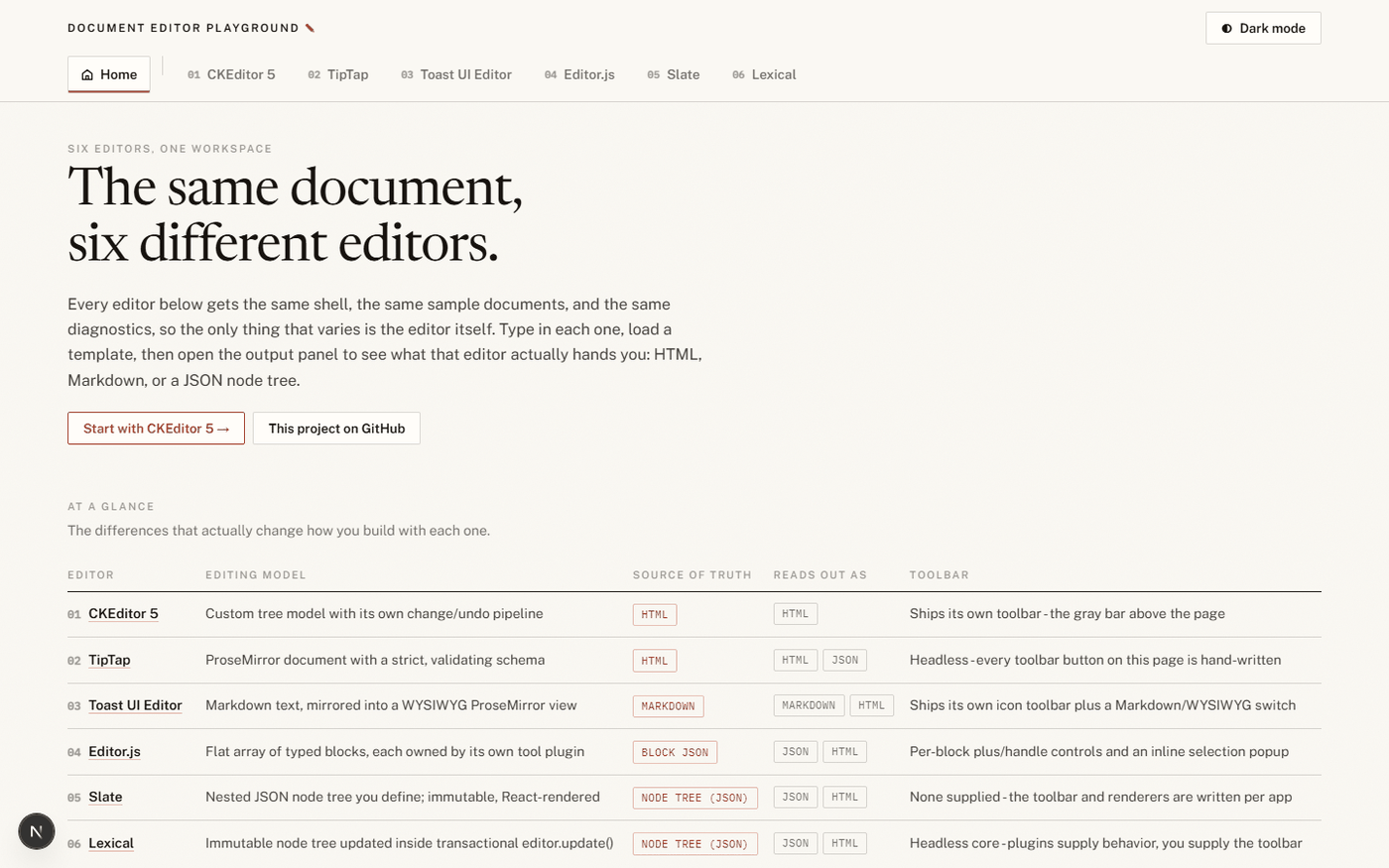
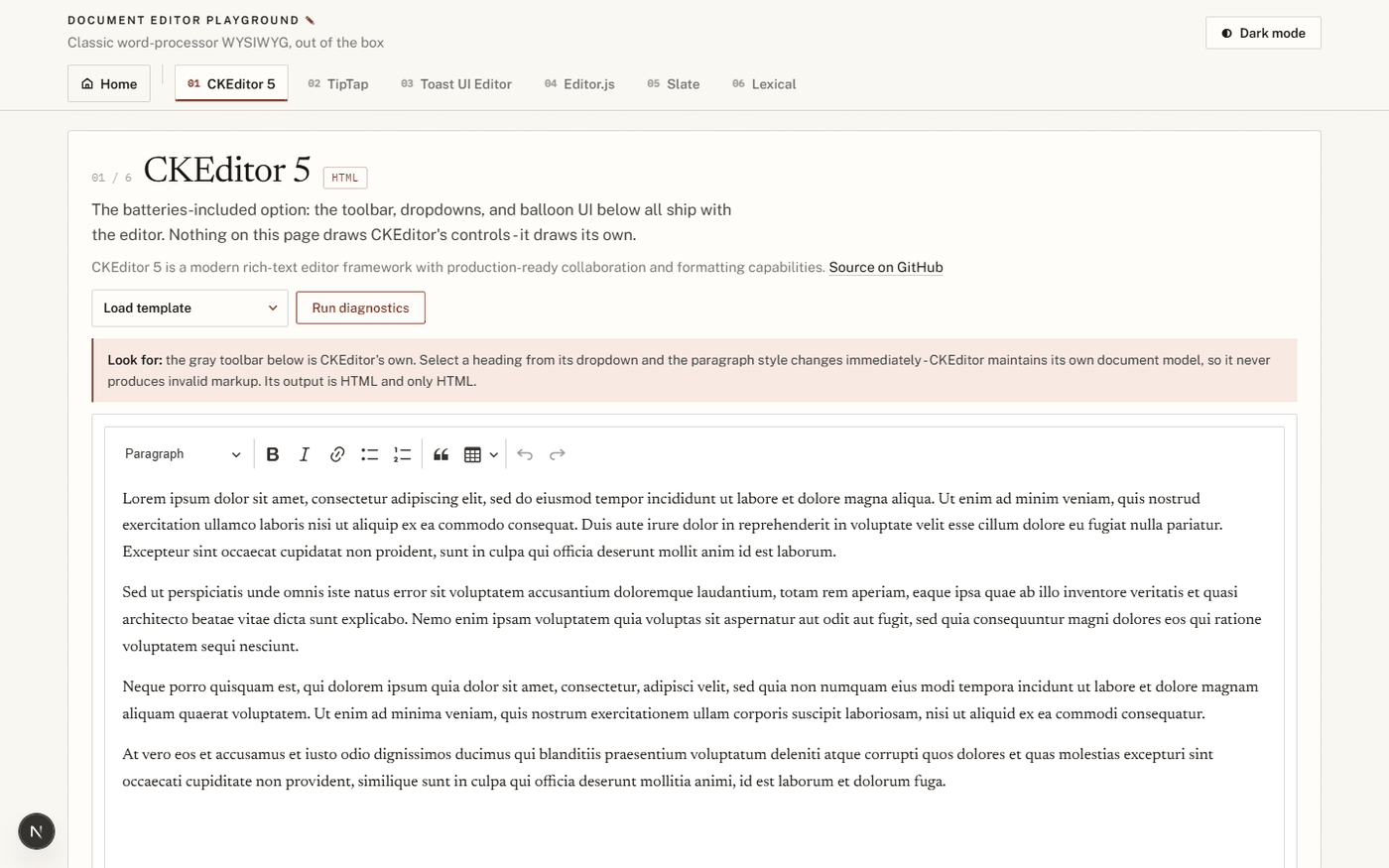
This app removes the variable. One shared workspace shell provides the navigation, theme toggle, controls, diagnostics, and comments; each editor gets a page inside it. You type the same content, apply the same formatting, run the same diagnostics, and compare what actually differs.
§ 03
Editors
The six editors
| Editor | What it is | Route |
|---|---|---|
| TipTap | Headless ProseMirror-based editor framework for deeply customized authoring UX. | /tiptap |
| Toast UI Editor | Open-source Markdown and WYSIWYG editor with practical built-in formatting tools. | /toast |
| Editor.js | Block-styled editor that stores content as structured blocks. | /codex |
| Slate | Framework for building custom rich-text editors with full schema and command control. | /slate |
| Lexical | Extensible React editor framework from Meta, optimized for speed and reliability. | /lexical |
| CKEditor 5 | Production-ready rich-text editor framework with a polished authoring experience. | /ckeditor |
The TipTap route goes further than a basic integration — it includes a custom sidebar plus AI-suggest and collaboration toggles.
§ 04
Run it
Quick start
git clone https://github.com/eputnam77/DocEditorPlayground.git
cd DocEditorPlayground
npm install
npm run dev
Then open http://localhost:3000. The package manager is npm only, and
package-lock.json in the repository root is the authoritative
lockfile.
Nested-lockfile warning? If Next.js complains about multiple lockfiles, your checkout is probably inside another JavaScript project that also has one. Clone to a standalone location.
§ 05
Details
Details
| Repository | github.com/eputnam77/DocEditorPlayground |
|---|---|
| Live demo | Hugging Face Space |
| License | GNU General Public License v3.0 |
| Stack | Next.js, TypeScript, Tailwind CSS |
| Testing | Vitest, Playwright |
| Package manager | npm only |
| Author | Eric Putnam |